
If you run a business with a physical presence, learning how to add your business location on Instagram is not optional anymore. I treat it like brushing my teeth before leaving the house. It is a simple habit that saves confusion, builds trust, and helps real people find you without sending awkward DMs asking, “Where are you located?”
I have set this up for my own projects and helped small business owners do the same. When it works, customers tap once and get directions. When it does not, you lose foot traffic without realizing it. I want you on the first side of that equation.
This guide walks through the exact ways I set up business locations on Instagram in 2025, what actually works, and how to avoid the common mistakes that waste time.
Why does adding your business location on Instagram matter so much?
I notice a clear pattern when I review business profiles. The ones with visible locations feel more trustworthy right away. A clear address or location tag signals that a real business exists behind the account, not just a logo and a caption.
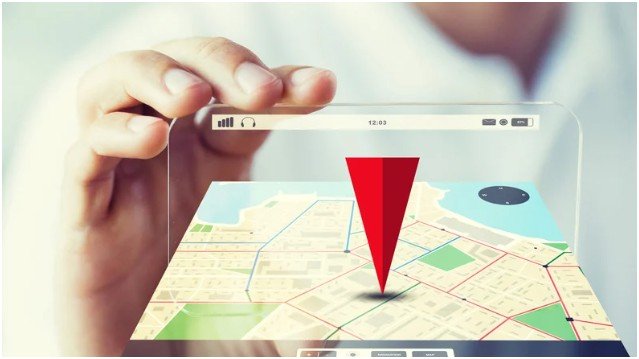
Instagram also uses location data to power discovery. When your location is set correctly, your posts and stories can surface on the Instagram Map and in local searches. That means people nearby can find you even if they have never heard of your brand before.
From a routine standpoint, this matters because customers behave fast. They scroll, tap, and decide in seconds. If they cannot see where you are or how to get there, they move on. Adding your location removes friction and keeps momentum on your side.
What is the easiest way to add a clickable address to your Instagram bio?
This is the method I always set up first because it works consistently and requires no waiting.
To display a clickable address in your bio, your account must be set to Business or Creator mode. Personal accounts cannot show contact addresses, which trips up a lot of people.
I go to my profile, tap Edit Profile, and open Contact Options under Public Business Information. From there, I enter my street address, city, and zip code, then save. The most important step comes next.
I always double-check Profile Display and make sure Display contact info is turned on. If that toggle stays off, the address exists but stays invisible.
Once enabled, the address becomes a tappable link that opens directly in map apps. Customers can get directions in seconds, which feels effortless on mobile.
How do custom location tags for posts and stories actually work?
This part confuses people because Instagram does not explain it clearly. You cannot create a new location tag directly inside Instagram. All location data comes from Meta’s system, which means Facebook still controls the backend.
When my business does not appear while adding a location to a post, I open Facebook and start a new status update. I tap Check In and search for my business name exactly as I want it to appear. If it does not show, I scroll down and create a new place, choosing the correct business category and entering the physical address.
After saving, I wait. Syncing usually takes a few hours, but I plan for up to 48 hours to be safe. Once it appears on Instagram, customers can tag my business in posts, reels, and stories, which boosts visibility without extra effort from me.
This setup turns customers into promoters without asking them to do anything special.
Should you add a Google Maps link instead of a location tag?
Sometimes, yes. I treat this as my backup plan and often my favorite option for control.
If I want people to land on a specific map pin, I grab my business link from Google Maps and add it under Edit Profile → Links as an external link. I label it clearly, usually “Our Location” or “Find Us on Google Maps.”
This method works even if Instagram’s location system lags or behaves strangely. It also feels safer for businesses that want visibility without fully exposing an address in the bio. From a daily workflow perspective, it takes less than two minutes and avoids sync delays entirely.
How do you choose the right location setup for your business?
I use a simple decision framework that keeps things practical.
| Goal | Best Option |
| Get directions from profile | Clickable bio address |
| Let customers tag you | Facebook-created location tag |
| Avoid sync issues | Google Maps link |
| Max visibility | Use all three together |
Using multiple methods does not confuse Instagram. It actually reinforces clarity for users. I prefer redundancy when it improves the customer experience.
How I set up my business location on Instagram step by step
I follow the same routine every time I launch or refresh a business profile.
First, I switch the account to Business or Creator mode and add a clickable address through Contact Options. I confirm that Display contact info stays on and test the link myself.
Next, I check whether my business appears as a location tag when creating a post. If it does not, I create the location through Facebook and wait for it to sync. I do not rush this step or create duplicates.
Finally, I add a Google Maps link under profile links. This gives users an instant fallback option and gives me peace of mind.
I test everything on my phone, not just desktop. If it feels smooth on mobile, I know customers will have an easy experience.
What common problems stop business locations from showing up?
Most issues come down to small oversights, not technical failures.
If a location does not show, I check GPS permissions first. Both Instagram and Facebook need location services enabled. If an address stays hidden, I revisit Profile Display and toggle contact info on again.
When a new location tag does not appear, patience matters. Meta sync delays are real, and creating multiple locations usually makes things worse. I wait the full 48 hours before troubleshooting further.
These small checks save hours of frustration.
FAQs about adding your business location on Instagram
1. Why is my business location not showing on Instagram?
This usually happens because the account is still set to personal mode or the Display contact info toggle is turned off. I also see this when GPS permissions are disabled on the phone. If the location was created on Facebook recently, waiting up to 48 hours often solves the issue without any extra steps.
2. Can I add my business location without using Facebook?
You can add a clickable address to your bio or a Google Maps link without Facebook. However, creating a searchable location tag for posts and stories still requires Facebook because Instagram pulls location data from Meta’s system.
3. Is it safe to add my business address on Instagram?
For public-facing businesses, yes. It builds trust and reduces friction for customers. If you run a home-based business, I recommend using a Google Maps link or limiting visibility to avoid privacy concerns while still offering directions.
4. How long does it take for a new location to appear on Instagram?
In my experience, it can take anywhere from a few hours to 48 hours after creating the location on Facebook. I avoid creating duplicates during this window because that delays syncing even more.
So… where you at? Let Instagram actually show it
Adding your location is one of those quiet upgrades that pays off every day. I treat it like setting business hours or replying to DMs. It takes a few minutes, but it keeps customers moving toward you instead of guessing.
My best tip is simple: test your own profile like a customer would. Tap everything. If it feels easy, you are done. If it feels confusing, fix it now before someone else feels that friction.
Once your location works, Instagram stops being just a feed and starts acting like a real-world connector. That is when it finally earns its keep.